> ## Documentation Index
> Fetch the complete documentation index at: https://docs.agenite.com/llms.txt
> Use this file to discover all available pages before exploring further.
# Quick start
> Get started with Agenite in minutes
## Installation
First, install Agenite's core packages:
```bash npm theme={null}
npm install @agenite/agent @agenite/tool
```
```bash pnpm theme={null}
pnpm add @agenite/agent @agenite/tool
```
```bash yarn theme={null}
yarn add @agenite/agent @agenite/tool
```
Then install your preferred LLM provider:
```bash AWS Bedrock theme={null}
npm install @agenite/bedrock
```
```bash Ollama theme={null}
npm install @agenite/ollama
```
For AWS Bedrock, make sure you have AWS credentials configured. For Ollama, ensure you have it [installed and running locally](https://ollama.ai).
## Building tools
Tools are the building blocks that give your agent abilities to perform tasks. While we'll start with a simple calculator example below, you can build much more meaningful tools like:
* Database query tools for data analysis
* API integration tools for external services
* File system tools for document processing
* Custom business logic tools for your domain
Let's start with a basic example:
```typescript AWS Bedrock theme={null}
import { Agent } from '@agenite/agent';
import { Tool } from '@agenite/tool';
import { BedrockProvider } from '@agenite/bedrock';
import { prettyLogger } from '@agenite/pretty-logger';
// Create a calculator tool
const calculatorTool = new Tool<{ expression: string }>({
name: 'calculator',
description: 'Perform basic math operations',
inputSchema: {
type: 'object',
properties: {
expression: { type: 'string' },
},
required: ['expression'],
},
execute: async ({ input }) => {
try {
const result = new Function('return ' + input.expression)();
return { isError: false, data: result.toString() };
} catch (error) {
if (error instanceof Error) {
return { isError: true, data: error.message };
}
return { isError: true, data: 'Unknown error' };
}
},
});
// Create an agent
const agent = new Agent({
name: 'math-buddy',
provider: new BedrockProvider({
model: 'anthropic.claude-3-5-sonnet-20240620-v1:0',
}),
tools: [calculatorTool],
instructions: 'You are a helpful math assistant.',
middlewares: [prettyLogger()],
});
// Example usage
const result = await agent.execute({
messages: [
{
role: 'user',
content: [{ type: 'text', text: 'What is 1234 * 5678?' }],
},
],
});
```
```typescript Ollama theme={null}
iimport { Agent } from '@agenite/agent';
import { Tool } from '@agenite/tool';
import { OllamaProvider } from '@agenite/ollama';
import { prettyLogger } from '@agenite/pretty-logger';
// Create a calculator tool
const calculatorTool = new Tool<{ expression: string }>({
name: 'calculator',
description: 'Perform basic math operations',
inputSchema: {
type: 'object',
properties: {
expression: { type: 'string' },
},
required: ['expression'],
},
execute: async ({ input }) => {
try {
const result = new Function('return ' + input.expression)();
return { isError: false, data: result.toString() };
} catch (error) {
if (error instanceof Error) {
return { isError: true, data: error.message };
}
return { isError: true, data: 'Unknown error' };
}
},
});
// Create an agent
const agent = new Agent({
name: 'math-buddy',
provider: new OllamaProvider({
model: 'llama3.2',
}),
tools: [calculatorTool],
instructions: 'You are a helpful math assistant.',
middlewares: [prettyLogger()],
});
// Example usage
const result = await agent.execute({
messages: [
{
role: 'user',
content: [{ type: 'text', text: 'What is 1234 * 5678?' }],
},
],
});
```
### Sample output
When you run the code above, you'll see nicely formatted output in your console thanks to the prettyLogger:
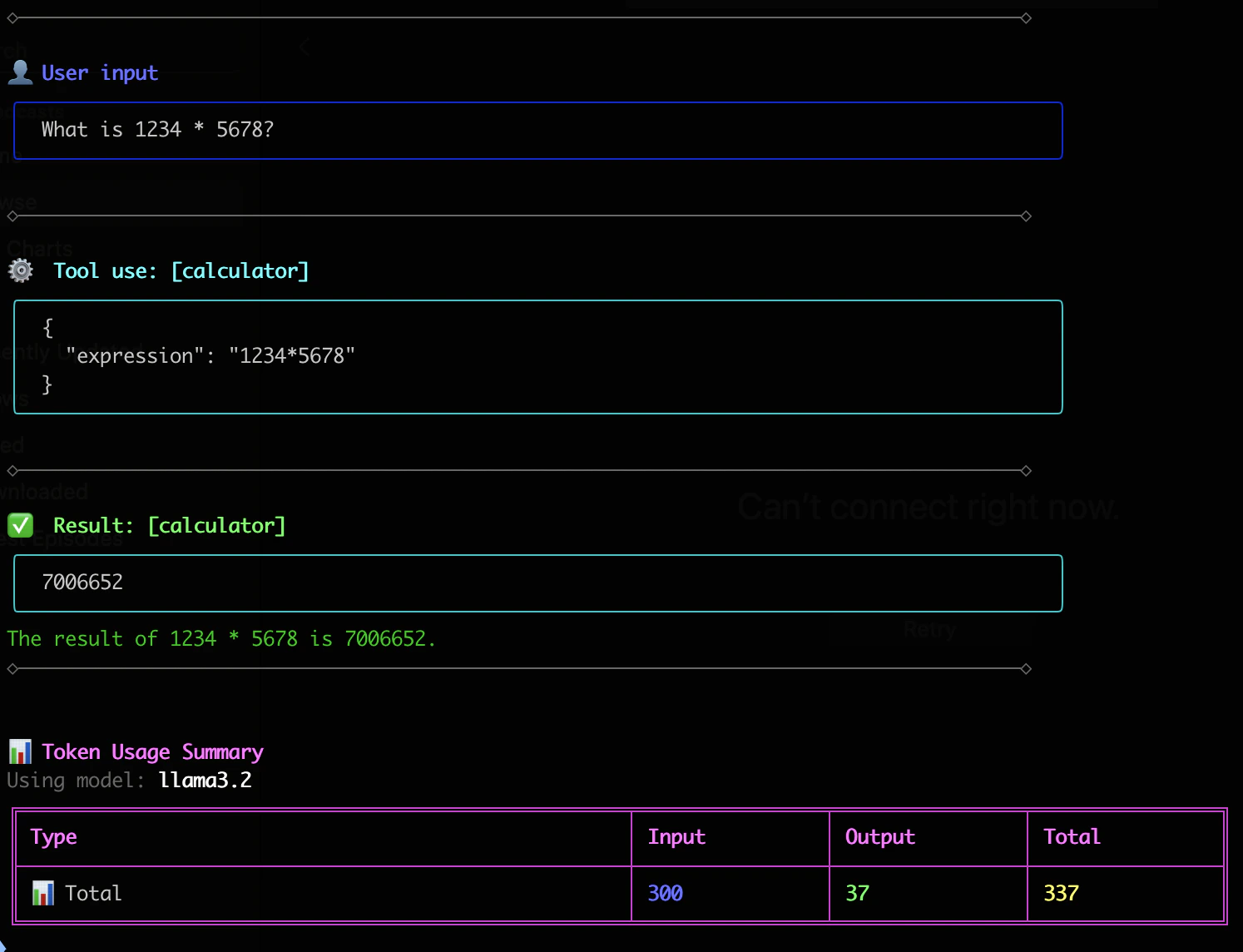 The pretty logger is handy for debugging, but you can use any logger you want and or not use it at all.
## Next steps
Learn about agents, tools, and providers in depth
Explore more complex examples and use cases
The pretty logger is handy for debugging, but you can use any logger you want and or not use it at all.
## Next steps
Learn about agents, tools, and providers in depth
Explore more complex examples and use cases